4K IPTV vs Cable TV in 2026: Cost, Picture Quality, Features & What to Choose
4K IPTV vs Cable TV in 2026: Cost, Picture Quality, Features & What to Choose
The way American households watch television has undergone a massive transformation. For decades, traditional cable television was the undisputed standard for live sports, breaking news, local broadcasts, and prime-time entertainment. Today, high-speed internet infrastructure and modern streaming technology have made internet-delivered television a powerful contender.
Recent 2026 industry research indicates that internet-based television streaming has become the primary viewing method for a majority of US households. At the same time, traditional cable TV maintains a significant presence, particularly among viewers who rely on local station bundles or traditional provider equipment.
Deciding between 4K IPTV and traditional cable TV in 2026 is not simply a matter of choosing "new technology over old technology." Instead, the ideal television setup depends on your specific household priorities: budget, internet reliability, viewing habits, device preferences, local channel requirements, and sports coverage.
In this comprehensive 2026 guide, we provide an honest, balanced comparison of 4K IPTV vs cable TV. We analyze real monthly costs, picture quality, 4K availability, network requirements, channel flexibility, live sports, and hardware options. By examining real-world viewer scenarios, this guide will help you determine which television setup makes the most sense for your home.
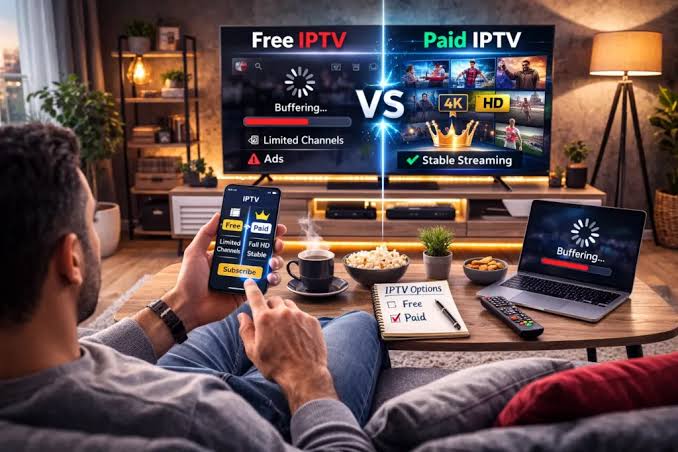
4K IPTV vs Cable TV setup comparison on a modern television display
4K IPTV vs Cable TV: Quick Comparison
The table below highlights the fundamental differences between 4K IPTV and traditional cable television services:
| Feature Category | 4K IPTV Streaming | Traditional Cable TV |
|---|---|---|
| Delivery Network | High-speed internet (IP network) | Dedicated coaxial / fiber cable network |
| 4K Availability | Available on supported channels & VOD | Limited to specific provider 4K channels |
| Internet Dependency | High (requires stable home broadband) | Independent of household Wi-Fi network |
| Required Equipment | Smart TV, Firestick, Apple TV, or mobile | Provider set-top box & cable modem |
| Contract Commitments | Typically flexible / subscription-based | Often 12–24 month package contracts |
| Portability | High (watch across multiple locations) | Tied primarily to installed household outlets |
| Picture Quality | Depends on source bitrate & home network | Depends on provider QAM channel bandwidth |
| On-Demand Content | Large VOD libraries frequently included | Depends on provider package & DVR add-on |
| Local Broadcasts | Depends on service rights & geographic area | Comprehensive local network integration |
| Installation | Self-service via digital download & login | Often requires technician appointment & wiring |
What Is 4K IPTV?
IPTV stands for Internet Protocol Television. It describes a technological framework where television programming and live video feeds are transmitted using internet protocol standards rather than traditional satellite dishes or subterranean cable lines.
It is important to understand that IPTV is a underlying delivery mechanism rather than a single product. The term IPTV does not automatically mean a service is legal, illegal, high quality, or poor quality. Content rights, server infrastructure, and encoding standards vary significantly across different service providers:
- Managed Telco IPTV: Fiber-optic television services operated directly by telecommunications providers (such as Verizon Fios or AT&T U-verse), delivered over dedicated private IP networks.
- Over-the-Top (OTT) Live Services: Internet-delivered live TV subscriptions that stream over public internet connections to consumer media devices.
- Third-Party 4K IPTV Subscriptions: Specialized internet TV providers—such as 4K IPTV USA—that deliver extensive live channel packages, international streams, and video-on-demand libraries directly to compatible smart TV applications.
When evaluating an IPTV service, consumers should ensure they select reputable providers that offer transparent subscription terms and robust server infrastructure.
What Is Traditional Cable TV?
Traditional cable TV delivers video signals from a regional distribution hub (known as a headend) directly into your home through a physical network of coaxial or fiber cables.
Inside your home, the coaxial cable connects to a provider-issued set-top box. This box decodes Quadrature Amplitude Modulation (QAM) signals and renders video on your television screen. Most cable systems include electronic program guides, physical remote controls, and optional digital video recorders (DVRs).
The Primary Advantage of Cable TV
The single greatest operational advantage of traditional cable TV is network isolation. Because the television signal travels over a dedicated cable line separate from your household Wi-Fi traffic, watching cable TV does not consume your home internet bandwidth.
If several family members are heavily downloading files or gaming online, your cable TV picture quality remains completely unaffected.
Cost: Is 4K IPTV Really Cheaper Than Cable?
Cost is frequently the primary motivation for consumers exploring a cable TV alternative. However, calculating the true financial impact requires looking beyond advertised promotional rates.
The Real Cost of Traditional Cable TV
Cable TV providers often advertise low entry rates (e.g., "$59.99/month"). However, 2026 consumer research reports show that actual monthly cable bills in the United States are substantially higher once mandatory fees and equipment rentals are factored in.
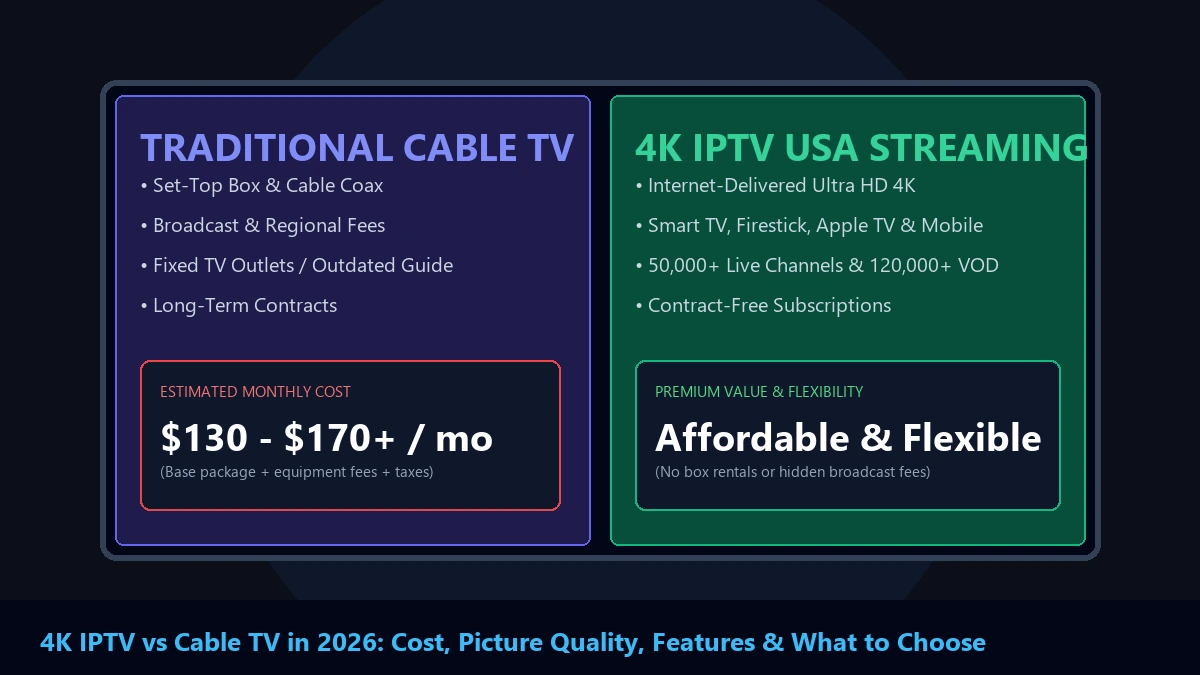
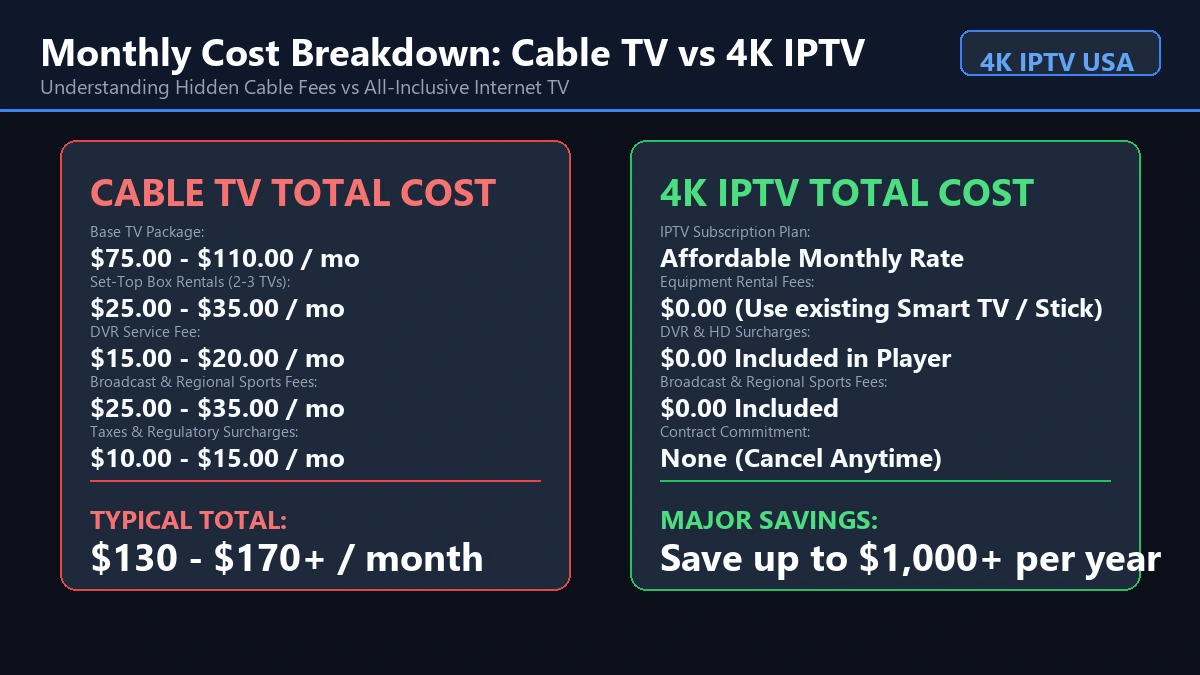
According to a 2026 industry survey, the average real-world cable TV bill in the U.S. ranges between $130 and $170+ per month. Common line-item additions include:
- Base Channel Package: $70.00 – $110.00 / month
- Set-Top Box Rentals (2–3 TVs): $20.00 – $35.00 / month ($8–$12 per box)
- HD & DVR Service Fees: $15.00 – $22.00 / month
- Regional Sports Network (RSN) Fees: $12.00 – $18.00 / month
- Local Broadcast TV Fees: $18.00 – $26.00 / month
- State & Local Taxes / Surcharges: $8.00 – $15.00 / month
After initial 12-month promotional periods expire, total monthly fees frequently double.
 Cost comparison infographic between Cable TV and 4K IPTV
The Real Cost of 4K IPTV
IPTV services generally eliminate hardware rentals and hidden broadcast fees. However, a complete financial assessment must include your home internet connection:
- IPTV Subscription: Fixed monthly or annual rate without equipment fees.
- Home Internet Broadband: $50.00 – $80.00 / month (required for streaming).
- Streaming Media Device: One-time purchase of $30 – $140 (e.g., Firestick 4K or Apple TV) rather than recurring monthly rentals.
Because most modern households already maintain high-speed home internet for remote work, mobile devices, and general browsing, adopting IPTV allows viewers to eliminate redundant cable hardware and broadcast surcharges.
A Better Way to Compare Your Monthly TV Bill
To make an accurate comparison for your household, calculate your total out-of-pocket expenditure rather than comparing advertised base prices:
Cable Total Monthly Expenditure
$$ ext{Base Package} + ext{Box Rentals} + ext{DVR Fee} + ext{Regional Sports Fee} + ext{Broadcast Fee} + ext{Taxes}$$
IPTV Total Monthly Expenditure
$$ ext{IPTV Subscription} + ext{Existing Internet Service} + ext{One-Time Device Cost (Amortized)}$$
For households that already pay for high-speed fiber or cable internet, switching to a subscription service like 4K IPTV USA can reduce overall entertainment expenses by $800 to $1,200 annually.
Picture Quality: Which Looks Better?
A common myth is that one technology automatically delivers superior picture quality over the other. In reality, visual performance depends on encoding bitrates, source resolution, and display calibration.
 4K UHD resolution vs compressed cable HD comparison
Cable Picture Quality Characteristics
Traditional cable television systems operate within fixed bandwidth allocations per channel pipe. To fit hundreds of channels into a regional coaxial network, cable operators compress video streams.
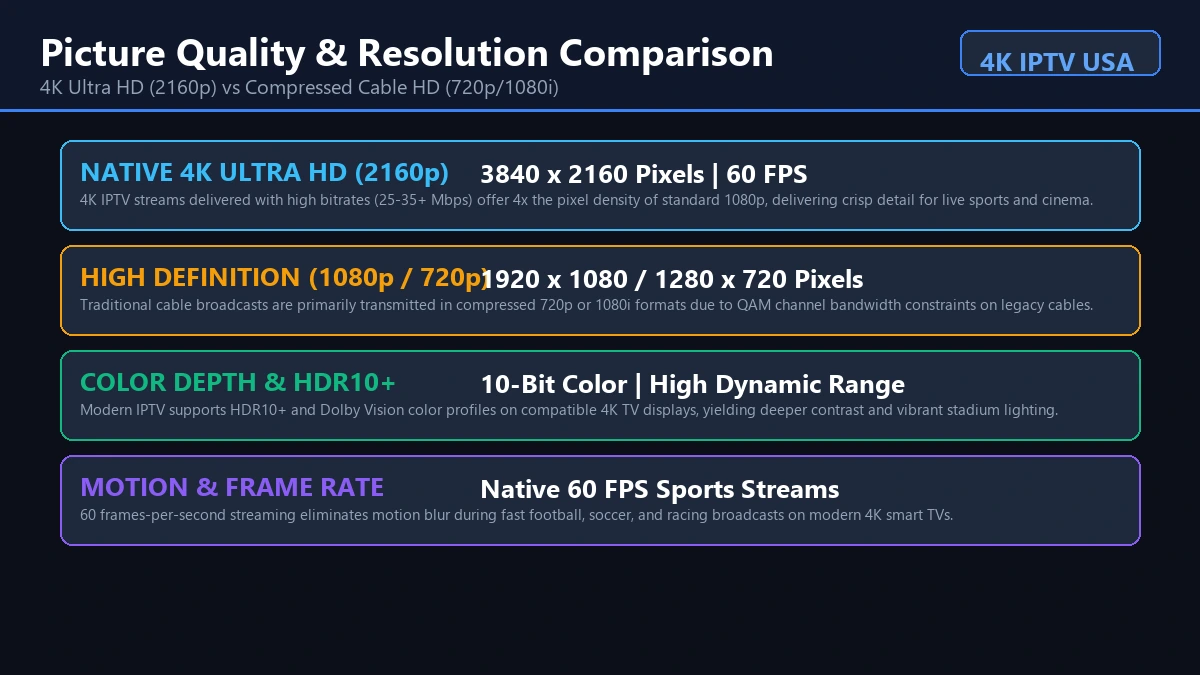
As a result, most live cable broadcasts are transmitted in 720p HD or 1080i HD at bitrates between 4 Mbps and 10 Mbps. While cable picture quality is consistent, fast sports action can exhibit minor compression artifacts or soft detail on large 65-inch or 75-inch 4K displays.
4K IPTV Picture Quality Characteristics
Because IPTV utilizes high-speed IP networks, video encoders can deliver higher data bitrates and modern compression codecs like HEVC (H.265) and AV1:
- Native 4K Ultra HD (2160p): True 4K IPTV feeds offer 3840 x 2160 pixel resolution at bitrates ranging from 25 Mbps to 40+ Mbps.
- 60 FPS Sports Streams: High frame rates eliminate motion blur during fast football, basketball, and hockey broadcasts.
- HDR Color Profiles: Support for HDR10+ and Dolby Vision delivers deeper contrast and realistic color gradients.
However, IPTV picture quality is heavily dependent on network stability. If your local Wi-Fi connection experiences packet loss, your IPTV player may drop resolution to maintain continuous playback.
4K Availability: IPTV vs Cable
Neither cable nor IPTV offers 100% of its channel lineup in native 4K, because very few television networks produce 24/7 native 4K broadcasts.
Cable TV 4K Support
Most major cable providers offer 1 or 2 dedicated 4K event channels reserved for special broadcasts (such as the Super Bowl, Premier League matches, or college football championships). Accessing these 4K broadcasts typically requires renting a specialized 4K-compatible set-top box and subscribing to top-tier packages.
IPTV 4K Support
IPTV platforms can deliver 4K channels and extensive 4K Video-on-Demand (VOD) movie libraries directly over the internet without requiring special box hardware. Provided your streaming box supports 4K 60Hz and your connection maintains 50+ Mbps bandwidth, accessing 4K content is seamless.
To learn more about optimizing your home setup for maximum visual clarity, read our guide on how to improve 4K IPTV picture quality.
Internet Requirements
Understanding network requirements is essential when evaluating an IPTV alternative to cable.
Cable TV Network Requirements
Cable television operates independently of home internet speed. You can watch full 1080i or 4K cable TV even if your home internet is temporarily down or disconnected.
IPTV Network Requirements
IPTV relies entirely on your home internet infrastructure. Minimum recommended speeds vary based on resolution:
- Standard Definition (480p): 5 Mbps available bandwidth
- High Definition (1080p): 15–25 Mbps available bandwidth
- 4K Ultra HD (2160p): 50–100+ Mbps available bandwidth with low jitter
Furthermore, network stability is more important than raw speed. A 300 Mbps Wi-Fi connection with heavy packet loss will cause stream buffering, whereas a stable 50 Mbps wired Ethernet connection will stream 4K perfectly.
If you are unsure whether your current internet package is sufficient, consult our detailed analysis on what internet speed is needed for IPTV.
Channels and Content
Both platforms provide access to live television, but their content delivery models differ significantly.
IPTV Channel Features
- Massive Library Options: Provides access to thousands of international channels, regional networks, and specialty sports packages.
- Integrated VOD: Extensive collections of movies and complete TV series available on demand without separate rental fees.
- Custom Category Sorting: Players allow users to create custom favorite lists and hide unused channel groups.
Cable TV Channel Features
- Established Regional Lineups: Excellent integration of local broadcast affiliates (ABC, CBS, NBC, FOX, PBS) tailored to your specific ZIP code.
- Regional Sports Networks (RSNs): Direct carriage agreements with local cable sports networks broadcasting in-market MLB, NBA, and NHL games.
- Traditional EPG: Familiar grid-style program guides operated via standard remote controls.
Live Sports: Which Is Better?
Live sports coverage is one of the most critical decision factors for American television viewers.
2026 sports broadcasting is fragmented across broadcast networks, regional cable sports networks (RSNs), national sports channels, and direct-to-consumer streaming apps.
Cable TV for Sports Fans
Cable TV remains a strong choice for die-hard fans of local home teams. Because traditional cable operators hold long-standing carriage contracts with Regional Sports Networks (RSNs), cable guarantees access to in-market games without regional blackouts.
4K IPTV for Sports Fans
IPTV platforms excel at broad sports coverage, providing access to national sports networks, international sports feeds, soccer leagues, combat sports, and PPV events:
- Broad Coverage: Access major national broadcasts and international feeds.
- 4K Sports Streams: Select major sporting events broadcast in 60 FPS 4K Ultra HD.
- Multi-Screen Support: Watch multiple games across different devices in your home.
However, viewers should verify that their preferred sports networks and local team broadcasts are included in their provider's channel package. For a deep dive into sports streaming features, see our guide on the best IPTV for live sports in the USA.
Devices and Where You Can Watch
Hardware flexibility represents one of the starkest contrasts in the 4K IPTV vs cable comparison.
 IPTV multi-device viewing options across Smart TV, Firestick, mobile, and laptop
Cable Hardware Ecosystem
Cable TV is primarily anchored to provider-issued set-top boxes connected to wall outlets. While some cable operators offer companion mobile apps for out-of-home viewing, primary television viewing requires paying monthly rental fees for physical boxes on every TV in your home.
IPTV Hardware Ecosystem
IPTV offers complete hardware independence. You can install IPTV player applications across a wide variety of consumer devices:
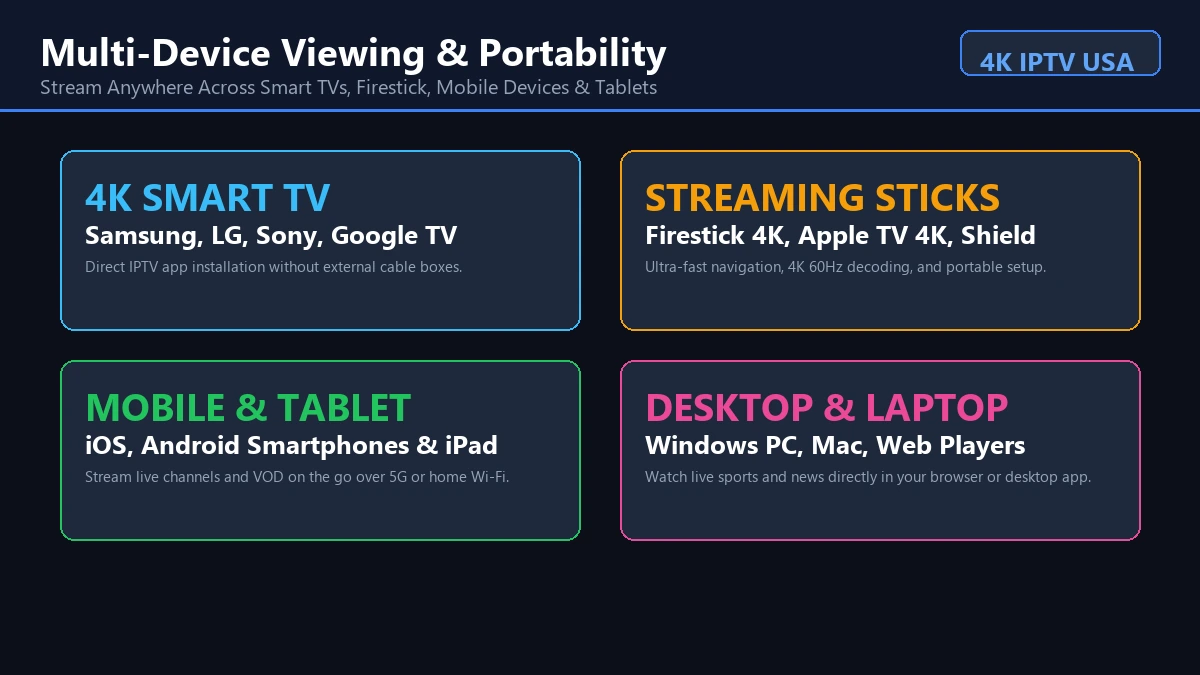
- Smart TVs: Samsung Tizen, LG webOS, Sony Google TV, Hisense, TCL
- Streaming Media Sticks: Amazon Fire TV Stick 4K, Apple TV 4K, Chromecast with Google TV
- Dedicated TV Boxes: NVIDIA Shield TV, Formuler, BuzzTV, Android TV boxes
- Mobile Devices & Computers: iOS iPhones, iPads, Android smartphones, tablets, Windows PCs, and Macs
Installation and Setup
Cable Installation Process
Installing traditional cable TV often involves scheduling a technician appointment, waiting during multi-hour arrival windows, running coaxial cables through walls, and activating physical boxes. Self-installation kits are available in some markets, but still require existing coaxial infrastructure.
IPTV Installation Process
Setting up 4K IPTV is entirely digital and self-service. You do not need to wait for a technician or install physical wall wiring:
- Connect your streaming device (such as a Firestick or Smart TV) to your home Wi-Fi or Ethernet network.
- Download an IPTV player application (such as Tivimate, IPTV Smarters, or XCIPTV).
- Enter your subscription login credentials or M3U playlist URL provided by 4K IPTV USA.
- Start watching live TV immediately.
If you are setting up IPTV for the first time, follow our step-by-step tutorial on how to set up IPTV on Android TV.
Thinking About Switching From Cable? Eliminate monthly set-top box rental fees and experience 50,000+ live channels in crystal-clear 4K. Discover how simple internet-based television can be. View 4K IPTV USA Plans & Pricing
Contracts and Flexibility
Cable TV Commitments
Cable providers frequently require customers to sign 12-month or 24-month service contracts to qualify for advertised promotional pricing. If you relocate, cancel service early, or drop channels before your contract term ends, providers charge substantial Early Termination Fees (ETFs) ranging from $100 to $300+.
IPTV Subscription Flexibility
Most 4K IPTV services operate on flexible, contract-free subscription models:
- No Long-Term Contracts: Subscribe on a monthly, quarterly, or annual basis.
- Easy Cancellations: Cancel or pause service at any time without early termination penalties.
- Simple Account Management: Upgrade or modify your connection plan as your household needs change.
Always review provider terms, refund policies, and connection limits before purchasing a subscription.
Reliability: Cable vs IPTV
Evaluating reliability requires looking at network architecture and potential failure points.
Cable TV Reliability
- Strengths: High physical signal reliability. Weather storms or heavy neighborhood Wi-Fi usage rarely affect traditional coaxial cable signals.
- Weaknesses: Physical cable cuts, neighborhood node outages, or headend hardware failures can knock out service for entire residential blocks until technicians repair local infrastructure.
IPTV Reliability
- Strengths: Redundant cloud server networks ensure high uptime. If a local server experiences traffic spikes, automated load balancing routes streams to backup servers.
- Weaknesses: IPTV is dependent on your home internet. Internet service outages, Wi-Fi router lockups, or ISP throttling will disrupt television playback.
Portability and Multi-Device Viewing
Portability is a major advantage of internet-delivered television.
Location Constraints of Cable TV
Cable TV is tied directly to your registered residential address. You cannot unplug your cable set-top box, take it to a hotel room or vacation rental, and plug it into a TV to access your channel package.
Freedom of 4K IPTV
Because 4K IPTV runs over standard internet connections, your television subscription travels with you:
- Vacation & Travel: Access your full channel lineup on a laptop, tablet, or Firestick while staying at hotels or vacation properties.
- Second Homes & RVs: Stream live television at secondary residences without paying for a second cable subscription.
- Multi-Room Viewing: Stream different channels simultaneously on multiple TVs throughout your home based on your plan's connection limits.
Features: What Does Each Option Offer?
The table below provides a detailed feature-by-feature comparison of 4K IPTV and traditional cable TV:
| Feature | 4K IPTV Streaming | Traditional Cable TV |
|---|---|---|
| Live TV Channels | Massive global & national channel selection | Regional channel packages |
| 4K Ultra HD Streaming | Extensive 4K channels & 4K VOD libraries | Limited dedicated 4K event channels |
| Electronic Program Guide (EPG) | Modern digital EPG with custom sorting | Standard grid guide via remote control |
| Video-on-Demand (VOD) | Thousands of movies & series included | Available via rental or paid packages |
| Digital Video Recording (DVR) | Cloud DVR & Catch-Up features in player | Physical or cloud DVR box add-on |
| Multi-Device Support | Smart TVs, streaming sticks, mobile, PC | Provider boxes & mobile companion apps |
| Hardware Rental Fees | $0.00 (No box rentals) | $8.00 – $12.00 per month per TV box |
| Location Portability | Stream anywhere with internet | Restricted to home cable outlets |
| Contract Requirements | Month-to-month / flexible plans | Often 12–24 month contracts |
| Local Broadcast Networks | Varies by provider & region | Comprehensive local network coverage |
Which Is Better for Different Types of Viewers?
Because every household has unique media habits, the "best" choice depends on your specific viewing scenario:
Choose 4K IPTV if...
- You Want to Lower Monthly Expenses: You want to eliminate $150+ monthly cable bills, box rental fees, and hidden broadcast surcharges.
- You Own Modern Smart TVs & Devices: You already use Firesticks, Apple TVs, or 4K Smart TVs and prefer an app-based viewing experience.
- You Demand 4K Picture Quality: You own a 4K HDR television and want access to native 2160p sports and cinema content.
- You Dislike Long Contracts: You want the freedom to adjust or cancel your television subscription without early termination fees.
- You Travel Frequently: You want access to your live television channels and VOD library while traveling or at secondary properties.
Choose Cable TV if...
- Your Home Internet Is Unreliable: You live in an area with poor broadband infrastructure or capped satellite internet.
- You Exclusively Watch Local News & In-Market RSN Sports: Your primary viewing consists of local broadcast affiliates and specific regional cable sports networks.
- You Prefer Provider-Managed Hardware: You want a traditional remote control with numerical channel buttons and provider-assisted technical support.
Consider a Hybrid Setup if...
Many modern cord-cutters adopt a hybrid television strategy:
- Use an inexpensive Over-the-Air (OTA) HD Antenna for free, uncompressed local broadcast networks (ABC, CBS, NBC, FOX, PBS).
- Subscribe to 4K IPTV USA for comprehensive national channels, international feeds, 4K sports, and massive VOD libraries.
This hybrid approach combines zero-cost local broadcast stability with high-value 4K internet streaming.
Is 4K IPTV Worth Switching to in 2026?
For millions of American households in 2026, switching from traditional cable TV to 4K IPTV is one of the most rewarding home entertainment upgrades available.
By transitioning to internet-delivered television, viewers gain greater channel variety, superior 4K picture quality, multi-device portability, and substantial monthly financial savings.
Before making the switch, evaluate these 10 core factors:
- Current Cable Expenditure: Review your last cable statement to identify your true total cost including box fees and taxes.
- Internet Stability: Run a speed test to confirm your home broadband delivers 50+ Mbps with low latency.
- Home Networking: Ensure your primary TV has a strong 5 GHz Wi-Fi signal or direct Ethernet connection.
- Compatible Devices: Verify that you own a 4K-compatible Smart TV, Firestick, or Apple TV.
- Local Channel Needs: Determine whether you require local broadcast affiliates or can supplement with an OTA antenna.
- Sports Coverage: Check that your required national sports networks and events are available.
- Number of Active TVs: Determine how many simultaneous connections your household requires.
- VOD Preferences: Evaluate whether included video-on-demand libraries replace separate streaming subscriptions.
- Technical Comfort: Ensure family members are comfortable navigating modern app-based TV interfaces.
- Trial Testing: Test an IPTV service before cancelling your existing cable subscription.
To test stream quality on your own hardware, review our guide on how to test an IPTV service before buying.
Questions to Ask Before Cancelling Cable
Use this practical decision checklist before calling your cable provider to cancel service:
- What local broadcast channels do I watch daily?
- Which specific regional sports networks are non-negotiable for my household?
- What is my actual monthly download speed and network stability during peak hours?
- How many individual televisions in my home require active connections?
- Do I own 4K-capable streaming devices (Firestick 4K, Apple TV 4K, Android TV)?
- Will my household benefit from integrated Video-on-Demand (VOD) movie libraries?
- What is my exact total monthly cable bill after adding box fees, DVR charges, and taxes?
- Am I currently under an active cable contract term with early termination fees?
- Have I tested an IPTV subscription on my home hardware to confirm performance?
- Is my home Wi-Fi router positioned close enough to my main television?
- Do I need portable television access while traveling or at secondary locations?
- Are all household members comfortable using an app-based TV program guide?
Explore Your 4K IPTV Options Today Experience true 4K Ultra HD streaming, 50,000+ live channels, anti-freeze technology, and zero box rental fees. Transform your home entertainment with a risk-free trial. Browse 4K IPTV USA Features & Plans
Frequently Asked Questions
Conclusion
Choosing between 4K IPTV vs cable TV in 2026 is not about finding a single universal winner. Both technologies serve distinct household needs:
4K IPTV represents the future of flexible, high-definition entertainment. It is the ideal choice for cost-conscious, tech-savvy viewers who demand 4K picture quality, multi-device portability, massive VOD libraries, and contract-free subscriptions.
Traditional Cable TV remains a reliable solution for households with limited home internet, or those who prefer provider-managed set-top boxes and local broadcast bundles.
By calculating your total monthly expenditure, testing your internet connection, and identifying your household's viewing priorities, you can select the TV setup that delivers maximum value for your home.
Ready to explore high-definition internet television? Discover our full lineup of 4K live channels, check our simple device setup guides, review our pricing plans, or contact our dedicated support team on our FAQ page to elevate your viewing experience today.